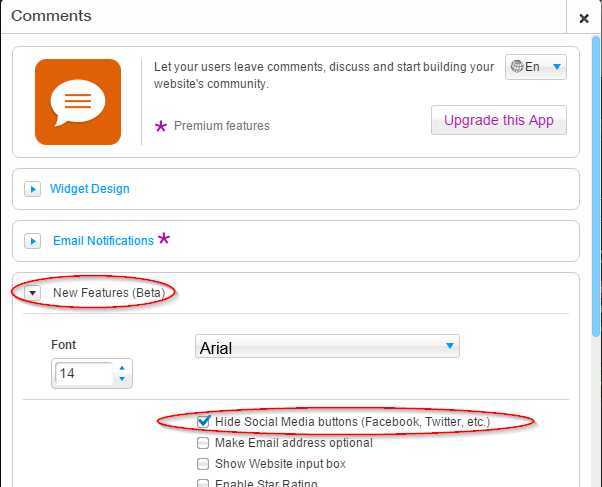
You can disable social login by opening the app settings window, going to the "New Features (Beta)" tab and selecting "Hide Social Media buttons (Facebook, Twitter, etc.)":

Modified on: Sun, 22 Nov, 2015 at 5:33 AM
You can disable social login by opening the app settings window, going to the "New Features (Beta)" tab and selecting "Hide Social Media buttons (Facebook, Twitter, etc.)":
Did you find it helpful? Yes No
Send feedback